
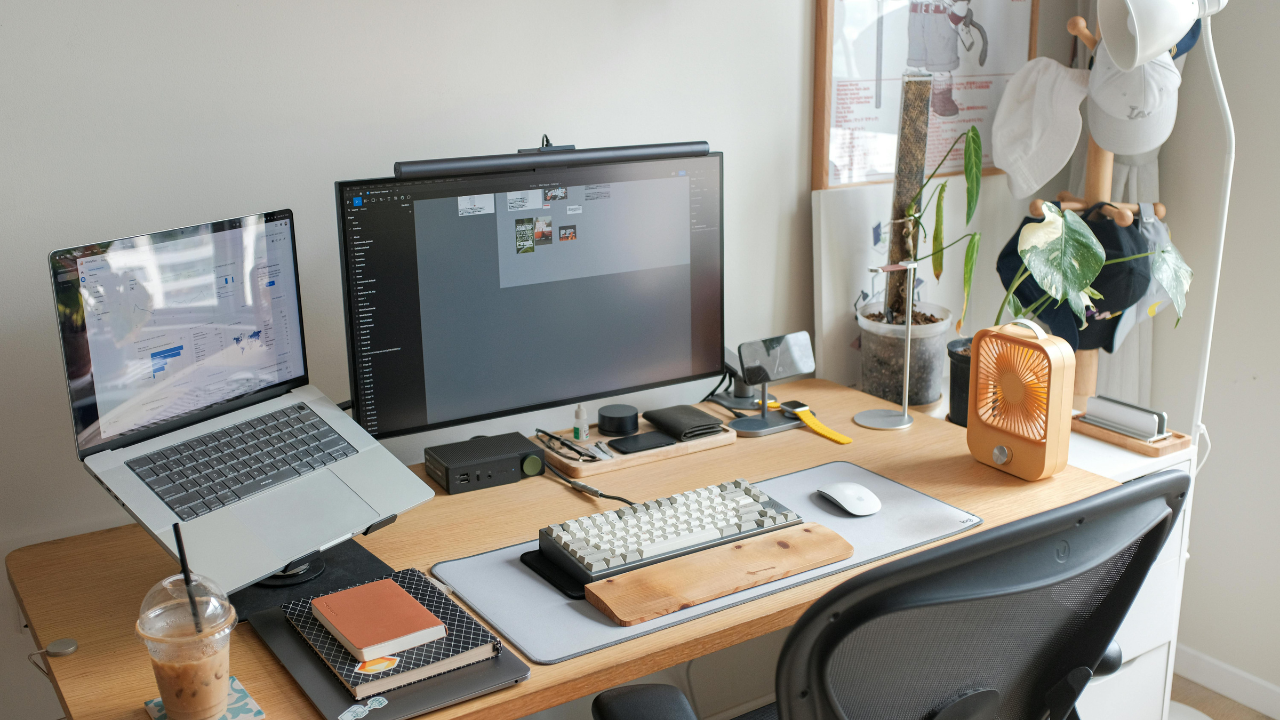
For most rooms, unpacking can wait a few days. But the home office? That’s where most moves get complicated and urgency is of the essence. It contains electronics, cords, fragile equipment, and files that absolutely cannot get lost. Whether you work from home fully remote, or have a dedicated workspace, your office demands a different level of care than the rest of your home.
The good news? With a little planning ahead of moving day, you can pack up your home office like a pro and be back to business before you know it. Here’s how.
Step 1: Back Everything Up Before You Pack a Single Box
Before you touch one power strip or unplug one monitor, back up your data. This is non-negotiable.
- Save files to an external hard drive or cloud storage (Google Drive, iCloud, Dropbox, OneDrive, etc.)
- Back up any external drives as well — not just your main computer
- Take photos of your monitor, keyboard, and other device connections so you can recreate it easily
- Jot down any software keys or saved passwords that aren’t backed up to the cloud
Moving day is one of the most overlooked data loss risks out there. But with a little prep now, you won’t be scrambling to recover files later.
Step 2: Declutter and Purge Before You Pack
A move is the perfect opportunity to lighten your load. Go through your office before packing and ask yourself: Do I actually use this?
- Shred or securely dispose of outdated documents and old tax records (check how long you’re required to keep them first)
- Donate or recycle old electronics. Many municipalities offer e-waste drop-off programs
- If it’s expired, outdated, or for equipment you don’t own anymore, leave it behind
- Toss or donate duplicate office supplies
- Sort through old notebooks and files and digitize anything you want to keep
Think of it this way: every item you cut now is one less box to carry, unpack, and find a place for. More decluttering tips can be found here on another one of our informative articles.
Step 3: Tackle the Cable Chaos
Cables are the bane of every home office move’s existence. Get ahead of the mess with a simple system.
- Label every cable before you unplug it. Masking tape and a marker works perfectly
- Use zip ties or velcro straps to bundle cables together by device
- Take a photo of the back of your computer, TV, or A/V setup before disconnecting anything
- Store cables for each device in a labeled zip-lock bag so reassembly is easy
Spend 20 minutes on it now and save yourself the headache of playing “guess that cable” in your new office.
Step 4: Pack Electronics the Right Way
Electronics are the most valuable and the most vulnerable items in your home office. Handle them with care.
- Use original packaging whenever possible because it’s designed to protect your specific device
- If you no longer have original boxes, wrap monitors and equipment in bubble wrap and pack them in snug-fitting boxes
- Never lay monitors or TVs flat. Always pack them standing upright
- Pack computers, laptops, and tablets in a separate bag or box you can keep with you during the move
- For desktop towers, remove the hard drive if you’re especially concerned about data security during transport
- Mark every electronics box as “FRAGILE” and “THIS SIDE UP”
If you’re working with professional St. Louis movers like All-Star Moving, let us know which boxes contain electronics so we can handle them accordingly.
Step 5: Organize and Pack Documents Carefully
Paper documents can be easy to overlook in the chaos of moving. But then you need one and can’t find it.
- Keep important documents (passports, insurance papers, contracts) with you and not in the moving truck
- Use a portable file box or accordion folder to transport active files
- Label all document boxes clearly by category (e.g., “Tax Records,” “Client Files,” “Insurance”)
- Take inventory of anything especially important so you can confirm it arrived safely
Step 6: Plan Your New Office Layout Before Moving Day
One of the best things you can do before moving day is visualize your new workspace!
- Measure your new office space and sketch out where your desk, shelving, and equipment will go
- Identify where the outlets are and plan your setup around them
- Contact your internet provider ahead of time to schedule installation
- Consider whether you’ll need any new furniture or organizational tools in the new space
The last thing you want after a long moving day is to realize your desk is in the wrong corner. A simple layout plan prevents exactly that.
Step 7: Set Up Your Office First
If you work from home, getting your office functional should be a priority when you first arrive. Unlike the living room or bedroom, a non-functional home office can affect your income and productivity.
- Unpack and set up your computer and internet connection before anything else
- Pull out those labeled cables and reference your setup photos to get your printer, drives, and other devices back online.
- Test everything before you unpack the rest of the house
- Give yourself a day to get settled before jumping back into a full work schedule if possible
And don’t forget that new homely touch like a plant in the corner, or that lava lamp you’ve been keeping since the ‘90s.
Let All-Star Moving Handle the Heavy Lifting
Moving a home office takes time, care, and a solid game plan. But you don’t have to do it alone! At All-Star Moving, we’ve helped countless St. Louis area residents and businesses move their offices safely and efficiently. From fragile electronics to heavy furniture, we treat every item like it’s our own.
Ready to get started? Contact All-Star Moving today for a free quote and let us take the stress out of your next move.